What Are the Top 10 Industrial Personal Computer Types?
Industrial Personal Computer technology quietly controls many systems that people depend on every day. It manages factory robots, inspection cameras, warehouse conveyors, medical equipment, and outdoor monitoring stations. Yet, choosing the right computer is rarely simple. A dusty workshop needs different protection than a clean laboratory. A vehicle-mounted system faces vibration, while an edge-AI station demands strong graphics performance.
Jim Turley, a respected embedded-systems analyst, describes the concept clearly: “Embedded systems are computers that are part of something else.” That idea also explains industrial computing. The computer is not the entire operation. It must serve a machine, process, or environment without creating unnecessary risk. This guide examines the top ten Industrial Personal Computer types, including panel PCs, box PCs, rackmount systems, fanless models, embedded computers, rugged units, vehicle PCs, DIN-rail computers, touchscreen systems, and edge-AI platforms.
The comparison will focus on practical factors. These include processor performance, operating temperature, ingress protection, expansion options, connectivity, maintenance, and lifecycle support. Field experience shows that a powerful processor cannot compensate for poor cooling. A bright screen also becomes useless under direct sunlight. No ranking fits every facility. That is the difficult part. Some classifications overlap, and manufacturers often use different labels for similar designs. Still, a careful review can reveal which Industrial Personal Computer type best matches each real-world task. Readers should question specifications, inspect installation conditions, and evaluate long-term reliability before making a purchase. Mistakes happen. Good engineering reduces their cost.
Industrial Personal Computers: Definition, Purpose, and Core Features
Industrial personal computers are computing systems designed for demanding work environments. They support production, transportation, energy, healthcare, and automated inspection. Unlike office computers, they must operate near motors, dust, heat, vibration, and electrical noise. Their purpose is practical: collect sensor data, display operating conditions, process images, and control connected equipment. A factory operator may use a panel PC to adjust a filling line while a box PC records temperature readings every second.
Core features usually include wide-temperature operation, reinforced enclosures, fanless cooling, long-term component availability, and flexible mounting.
Common interfaces include Ethernet, serial ports, USB, digital I/O, and fieldbus connections. Some systems also provide secure boot, TPM support, remote monitoring, and error-correcting memory.
These details matter when downtime can stop an entire shift. A fanless design reduces dust intake. It can still overheat if the cabinet lacks airflow.
The ten common types are panel PCs, box PCs, rackmount PCs, embedded PCs, DIN-rail PCs, vehicle-mounted PCs, rugged portable PCs, industrial thin clients, workstation-class PCs, and industrial gateway computers. Their boundaries sometimes overlap. Panel models suit operator stations, while rackmount systems fit control rooms. Embedded and DIN-rail units save space inside machines. Rugged portable models support maintenance teams in the field.
Selection should follow temperature, mounting space, processing load, connectivity, service access, and expected lifespan. Price alone is a weak guide.
Key Differences in Performance, Design, and Industrial Applications
What Are the Top 10 Industrial Personal Computer Types?
Industrial computers differ sharply in performance, design, and application.
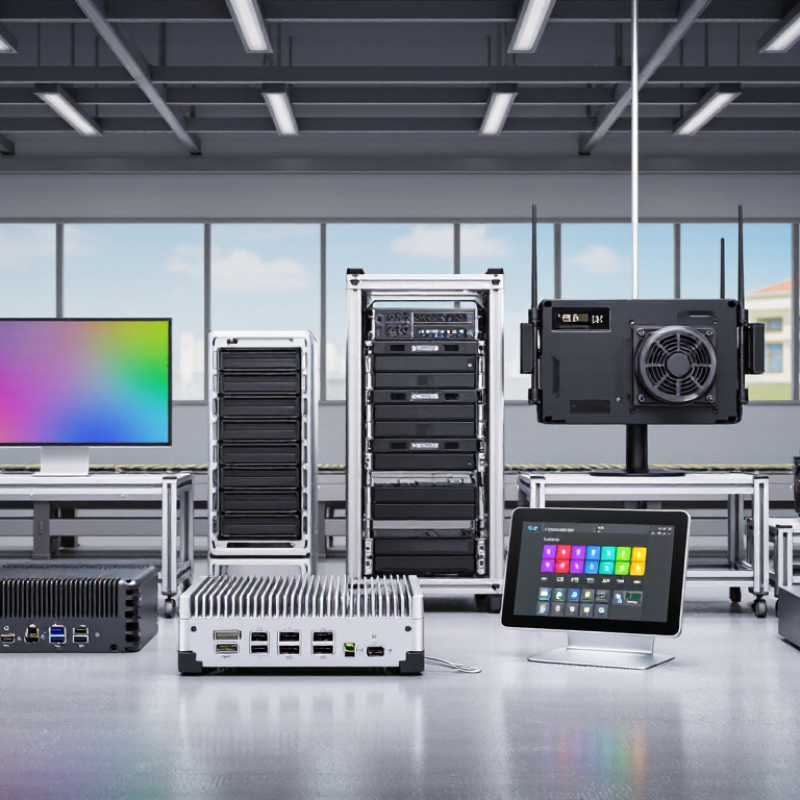
A panel PC combines a display and computer in one sealed unit. It suits machine control and operator stations. A box PC offers flexible mounting and strong processing for inspection systems. A rackmount PC provides expandable hardware for control rooms and data collection.
Fanless PCs reduce dust entry and maintenance needs. They work well near production lines. Embedded PCs fit inside machines where space is limited. Their performance is practical, not excessive.
DIN-rail PCs install neatly inside electrical cabinets and support automation networks. Vehicle-mount computers handle vibration, temperature changes, and mobile warehouse tasks.
Rugged portable PCs prioritize impact resistance and field service access. Industrial tablets provide touch control for maintenance teams, though gloves can reduce accuracy.
Industrial workstations deliver higher graphics performance for machine vision and engineering software. In my experience, cooling design often matters more than peak processor speed. Still, this ranking is imperfect because application conditions vary. A powerful computer can become a poor choice when heat, dust, or limited space dominates.
Tips: Match the computer to the workload, enclosure, and operating environment. Check processor demand, memory, storage endurance, ingress protection, mounting space, and service access. Test touchscreens with gloves before deployment. Leave thermal headroom, because factory temperatures rarely remain ideal. Also, document cable routes and replacement procedures. Small oversights can create expensive downtime.
How to Choose the Right Industrial Personal Computer Type
What Are the Top 10 Industrial Personal Computer Types?
How to Choose the Right Industrial Personal Computer Type
Choosing an industrial personal computer starts with the working environment, not the processor. The main types include panel PCs, box PCs, rackmount PCs, embedded PCs, fanless PCs, rugged PCs, mobile PCs, thin clients, industrial workstations, and DIN-rail PCs. Each type solves a different problem. A panel PC suits a control cabinet door with a touchscreen. A rackmount model fits server cabinets. A fanless box PC works well where dust could block moving parts.
Measure the installation space carefully. Check operating temperature, vibration, humidity, dust exposure, and available power. A factory near cutting fluids may need sealed housing and suitable ingress protection. A vehicle-mounted system needs shock resistance and a secure power input. Do not select processing power from office habits. A vision inspection task may require stronger graphics, while a simple data terminal may need only modest computing capacity.
List every required connection before comparing models. Include serial ports, Ethernet, USB, digital inputs, display outputs, and fieldbus interfaces. Also review storage endurance, memory expansion, remote management, and the expected service life. Long product availability matters in industrial projects. One overlooked port can force an expensive redesign. That lesson is easy to dismiss. It should not be. Performance ratings can also mislead when cooling conditions differ from laboratory tests. Test the computer inside the actual enclosure, under realistic load, and leave room for a few uncomfortable findings.
 X
X